Peak Splitting in High-Performance Liquid Chromatography (HPLC): Causes and Solutions
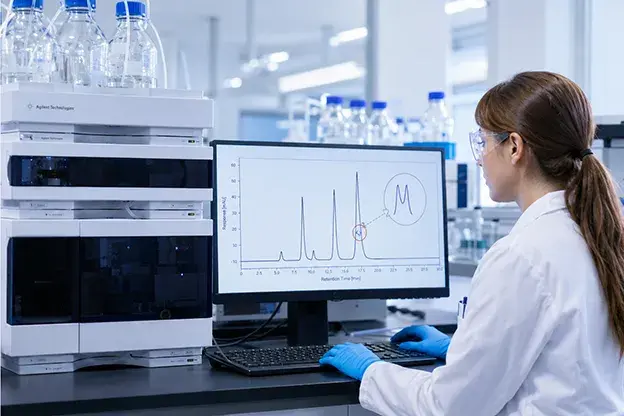
Peak splitting in HPLC is a peak-shape anomaly where a single Gaussian peak appears as two adjacent maxima or a distinct shoulder sharing the same baseline. HPLC peak splitting is not a minor cosmetic glitch. When a split goes unresolved, it biases peak area measurements, destabilizes retention time data, and puts the reproducibility of your entire method at risk. The root cause needs to be identified rapidly to protect data integrity and keep analytical workflows on track.
What Is Peak Splitting in HPLC?
Split peaks in HPLC show up as a shoulder or “twin” on what should be a symmetrical Gaussian profile, with both sub-peaks sharing the same baseline. That shared base is the key feature that distinguishes peak splitting from other peak-shape anomalies. Peak tailing produces an asymmetric, widened trailing edge on a single connected peak, while peak fronting shows a gradual broadening on the leading side. Co-elution, by contrast, produces two fully resolved peaks at clearly different retention times. Splitting shows two maxima or a clear shoulder within the same retention-time window. Crucially, splitting may affect one peak or every peak in the run, and that pattern is your first and most important diagnostic clue.
Why Peak Splitting Is a Critical HPLC Problem
HPLC peak splitting creates direct analytical and operational consequences that go well beyond a messy chromatogram. Understanding why HPLC peaks split matters precisely because the downstream effects touch data integrity, regulatory compliance, and lab economics:
- Inaccurate Integration: Software integrators misread split peaks and report incorrect peak areas, producing wrong concentration values in your final result.
- System Suitability Failures: Plate count (N) and tailing factor thresholds fail when peak shape deviates from Gaussian, forcing batch rejection.
- Retention Time Drift: A split peak shifts the apparent centroid, making retention time comparisons across runs unreliable.
- False Impurity Flags: Shoulders can be misidentified as unknown degradants during method validation, wasting analyst time and delaying regulatory submissions.
- Shortened Column Lifetime: Persistent mechanical causes accelerate stationary-phase degradation when left untreated.
- Regulatory Risk: Compromised quantitation data may create risks in regulated environments (e.g., GMP).
Single Peak vs. All Peaks Splitting: The First Diagnostic Step
The most important rule in HPLC peak splitting troubleshooting is this: count how many peaks are affected before touching anything else.
When only one peak splits, the cause is almost always chemistry or method-related. If only one peak in a chromatogram is splitting or has a shoulder, the problem is likely something related to the separation itself. Likely culprits include co-eluting isomers or closely eluting impurities, charge variants in biopharmaceutical samples, dimers or aggregates, or a mismatch between the analyte’s pKa and the mobile phase pH. The other peaks look normal because the issue is specific to that one analyte’s chemistry.
When all peaks split, the cause is almost always mechanical or instrumental. If all peaks split in an HPLC run, it is an indication of a problem happening before separation has taken place. A blocked frit, a void at the column head, loose fittings that inflate column volume and extra-column volume, or a sample diluent far stronger than the mobile phase will affect every analyte equally.
This quick-reference framework keeps analysts from chasing mechanical fixes when the problem is actually chemical, or vice versa. Correctly identifying the split peaks in HPLC pattern at the start narrows your troubleshooting to the right half of the decision tree.
Common Causes of Peak Splitting in HPLC
Understanding the causes of peak splitting in HPLC means looking at hardware, method chemistry, and sample preparation together. Here are nine of the most frequent culprits.
Blocked or Contaminated Column Frit
A partially blocked inlet frit creates uneven flow distribution across the column bed. Part of the sample is delayed in entering the column, spreading sample delivery and causing every peak in the chromatogram to split. This is one of the most common mechanical causes in routine labs and is often the first thing worth checking. Typically observed when all peaks are splitting with no change in retention time
Void or Channel at the Column Head
A void in the packing material can appear as a settled bed or a channel, causing some of the sample to travel faster in the column. The sample spreads before entering the packed bed, and all peaks split equally. The problem worsens at higher flow rates and it’s often accompanied by loss of efficiency and slight retention time shifts.
Sample Diluent Stronger Than the Mobile Phase
Injecting a sample dissolved in a solvent significantly stronger than the starting mobile phase disrupts the analyte band at the column head. The front of the band migrates faster than the tail, producing a split or distorted peak. This effect is especially pronounced in reversed-phase HPLC when the diluent contains a high percentage of organic modifier or in gradient methods at low initial organic composition.
Mobile Phase pH Near the Analyte pKa
What causes split peaks in HPLC for ionizable compounds is often a pH mismatch. When the mobile phase pH sits within ±1 pH unit of the analyte pKa , the compound exists simultaneously in ionized and neutral forms. Each form interacts differently with the stationary phase, producing slightly different retention times that appear as a split or shouldered peak for that single analyte.
Improper Fittings, Dead Volume, and Loose Connections
Poorly seated fittings or mismatched tubing create dead volume, which is unswept space where analyte bands can remix and spread. This band-broadening manifests as splitting, particularly with narrow-bore columns or UHPLC systems. Managing column volume and extra-column volume is a key part of routine system maintenance.
Column Overload (Sample Mass Too High)
Injecting too much mass onto the column saturates available binding sites on the stationary phase. The overloaded fraction travels at a different velocity from the trace-level fraction, producing a split or fronted peak. This phenomena is often observed as fronting that can evolve into splitting at higher loads. Column overload can be assessed by diluting the sample and re-assessing the resulting peak shapes.
Co-elution of Closely Eluting Compounds, Isomers, or Degradants
Two compounds with nearly identical retention times will partially merge into what looks like a single broad or split peak. One way to check this is to inject a smaller sample volume and observe whether two distinct peaks emerge. This is a method selectivity issue, and it is the most common reason a single peak splits while all others remain intact. It can be confirmed by improving resolution (e.g., gradient change or column chemistry switch).
Particulates or Microbial Contamination in Mobile Phase or Sample
Unfiltered mobile phases or samples deposit particulates on the frit or column head over time, gradually recreating the same uneven flow distribution as a mechanically blocked frit. Microbial growth in aqueous mobile phases adds an organic layer that accelerates blockage.
Anomer Formation in Hydrophilic Interaction Liquid Chromatography (HILIC) for Reducing Sugars
Reducing sugars, such as glucose, exist as two anomeric forms (alpha and beta) that interconvert slowly in solution. Under HILIC conditions, these anomers can partially resolve, producing a characteristic double peak or shoulder for a single sugar analyte. This chemistry-specific cause requires method adjustments rather than hardware fixes.
Step-by-Step Solutions to Fix Peak Splitting in HPLC
This sequential workflow mirrors how an analyst should actually work through how to fix peak splitting in HPLC at the bench. Follow it in order for the fastest resolution.
Step 1: Inspect the Chromatogram and Confirm Single vs. All-Peak Splitting
Review the full chromatogram before touching anything. Count the affected peaks. If one peak splits, move to Steps 2 and 6. If all peaks split, move to Steps 3, 4, and 5 first. This single observation is the most efficient triage available.
Step 2: Reduce Injection Volume and Inject in a Weaker Diluent
Cut the injection volume by 50% and re-run. If the split disappears or narrows, the cause is diluent strength or mass overload. Prepare your sample in a diluent that matches or is weaker than the starting mobile phase. These are the core HPLC peak splitting solutions for injection-related causes.
Step 3: Backflush the Column to Clear Frit Contamination
Disconnect the column and reverse its flow direction (only if allowed by the column manufacturer). Backflush with a strong solvent to dislodge particulates from the inlet frit. Re-run your test mixture. If all peaks improve, a contaminated frit was the cause.
Step 4: Replace the Inlet Frit or Install a Guard Column
If backflushing does not restore peak shape, replace the inlet frit. Better still, install a guard column in front of your analytical HPLC column to intercept particulates and protect the analytical bed. Using in-line filters and guard columns reduces the incidence of blockages and prevents related peak shape problems before they start.
Step 5: Check All Fittings, Tubing, and Connections for Dead Volume
Inspect every connection between the injector and detector. Tighten loose fittings and replace any tubing whose internal diameter mismatches your system. Even a small dead-volume pocket can split narrow peaks, especially for early eluting compounds.
Step 6: Adjust Mobile Phase pH to At Least Two Units from the Analyte pKa
If a single ionizable compound splits, shift the mobile phase pH so it sits at least two units away from the analyte’s pKa. This keeps the compound fully in one ionization state throughout the run and produces a single, symmetrical peak.
Step 7: Lower Column Load or Switch to a Higher-Capacity Stationary Phase
Reduce the injected mass by diluting the sample or reducing the injection volume. If your method needs a high concentration range, consider switching to a column with higher surface area or a wider-bore format. A higher-capacity stationary phase handles greater loads without generating the overload distortion that causes splitting.
Step 8: Replace the Column if a Void Has Formed
If a void at the column head is confirmed by persistent splitting and loss of efficiency after hardware interventions and cleaning the column cannot be fully restored. Replace the column. Use the Phenomenex HPLC column selection guide to choose a replacement with the right chemistry and format for your application, and consider columns with stable, fully porous or core-shell silica packing, which resist void formation and extend usable lifetime.
Best Practices to Prevent Peak Splitting in HPLC
Preventing HPLC peak splitting is far more cost-effective than diagnosing it mid-run. These practices can prevent peak splitting in HPLC across routine and method-development workflows:
- Filter all mobile phases by using 0.2 or 0.45 µm membranes before a run to remove particulates that block frits.
- Filter or centrifuge all samples before injection to reduce column head contamination and slow frit degradation.
- Install a guard column or in-line pre-column filter to intercept particulate material before it reaches the analytical bed.
- Prepare samples in a diluent that matches, or is weaker than, the starting mobile phase to avoid injection solvent mismatch.
- Store columns properly in recommended solvents at room temperature and cap both ends when not in use.
- Run system suitability checks before each analytical batch to catch splitting and other shape anomalies, including ghost peaks, before they affect sample data.
- Select columns with stable, fully porous or core-shell silica packing, which resist void formation and deliver longer usable column lifetimes under routine conditions.
Consult the Phenomenex HPLC column selection guide to match your column to your method from the start and reduce the risk of hardware-driven peak splitting entirely.
FAQs
How do you fix peak splitting when only one peak is affected?
Start by checking whether the mobile phase pH is close to the analyte’s pKa. If the pH is within one unit of the pKa, the compound is partially ionized; shifting the pH by two or more units typically resolves the split. Also, rule out co-elution by injecting a smaller volume and watching whether two distinct peaks emerge. If they do, improve selectivity through mobile phase or column chemistry adjustments.
Why do all peaks in my chromatogram split?
All-peak splitting almost always points to a mechanical cause: a blocked or partially blocked inlet frit, a void or channel in the column bed, excessive dead volume from loose fittings or mismatched tubing, or a sample diluent significantly stronger than the mobile phase. Work through Steps 3–5 of the troubleshooting workflow above in that order.
Can sample diluent cause peak splitting?
Yes. Injecting a sample in a diluent that is much stronger than the starting mobile phase disrupts the analyte band at the column head, producing a split or distorted peak. Preparing the sample in a diluent that matches or is weaker than the initial mobile phase composition resolves this quickly.
Is peak splitting the same as peak tailing or peak fronting?
No. Peak tailing produces an asymmetric trailing edge on a single connected peak, whereas peak fronting shows a gradual leading slope. Peak splitting produces two distinct maxima or a clear shoulder within the same retention-time window, with both sub-peaks sharing the same baseline. Each anomaly has different causes and different solutions, so correct identification matters before any troubleshooting begins.